
The average worker now touches seven AI tools a week. The data says that’s exactly why most of the promised time savings never show up on the balance sheet.
The proliferation of AI tools often decreases productivity by creating fragmented workflows. While organizations average seven tools, time savings are lost to manual data transfer and correcting low-quality output. Most teams fail to achieve financial returns because they prioritize the number of tools over comprehensive workflow redesign.
To capture real gains, organizations must audit software stacks and restructure processes around core tasks. Consolidating into integrated systems reduces friction and app fatigue. Companies prioritizing end-to-end process design over tool experimentation report saving nearly an hour per employee daily, transforming isolated tools into efficient, continuous systems.
By William, U.S. Army (Retired)- Owner, Chief Editor & CEO
Table of contents
- The average worker now touches seven AI tools a week. The data says that’s exactly why most of the promised time savings never show up on the balance sheet.
- Key Takeaways
- The Tool-Sprawl Trap Is Real, and It’s Everywhere
- What the Research Actually Shows
- The Reframe: Stop Counting Tools, Start Auditing Loops
- What Changes When You Run the Audit
- Your Practical Audit: 6 Steps to Run This Week
- Frequently Asked Questions
- The Takeaway
- Keep Learning
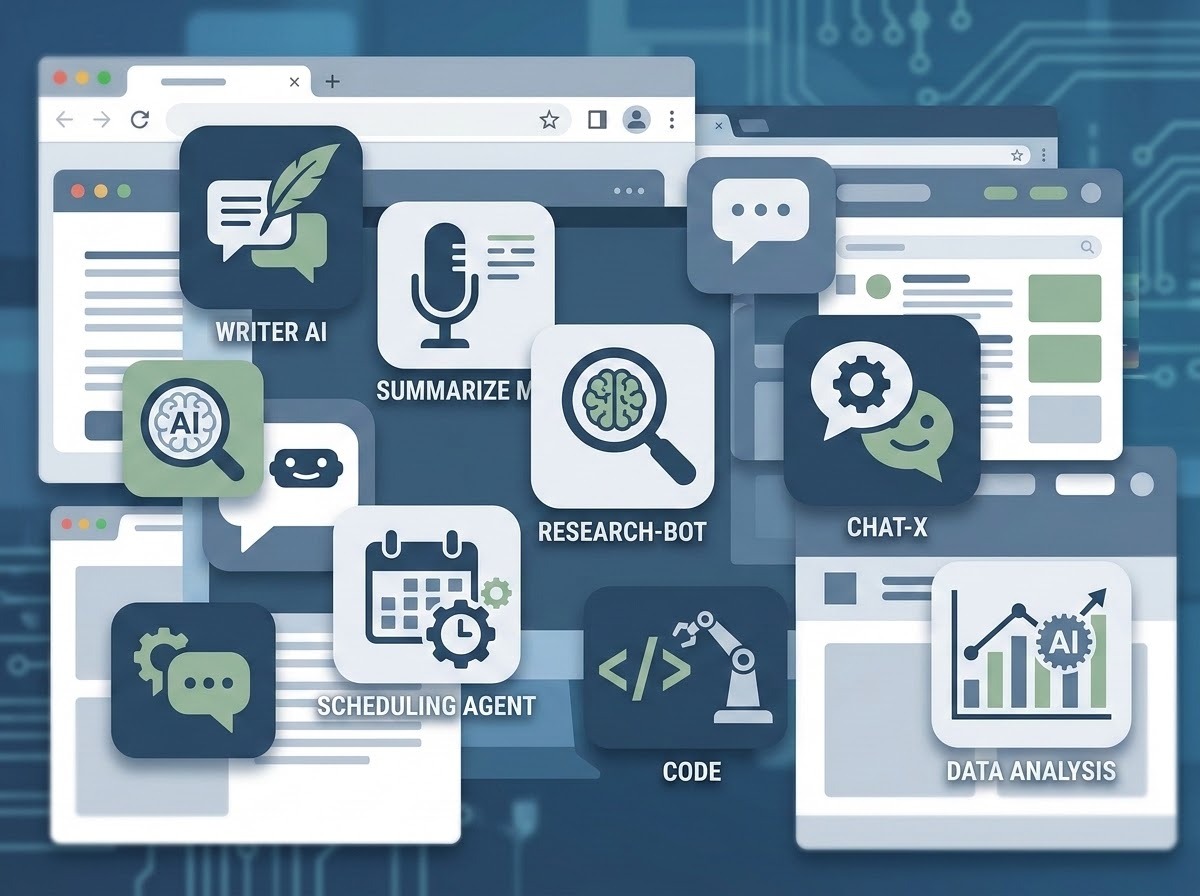
Open your browser right now and count the tabs. A writing assistant. A meeting summarizer. A research tool. Maybe two chatbots, because one is “better at coding” and the other is “better at everything else.” A scheduling agent nobody remembers approving. If your setup looks like a software graveyard with a subscription bill attached, you are not doing AI wrong. You are doing what almost every organization has done since 2023 — and it is quietly costing you the productivity gains AI was supposed to deliver.
Here’s the direct answer: more AI tools do not make you more productive, because productivity was never a function of how many tools you have access to. It is a function of how much of your actual workflow — start to finish — runs through a system without interruption. Every extra tool you bolt onto your day adds a seam, and seams are where time leaks out. Organizations are discovering this the hard way, and the research now backs it up in hard numbers.
Key Takeaways
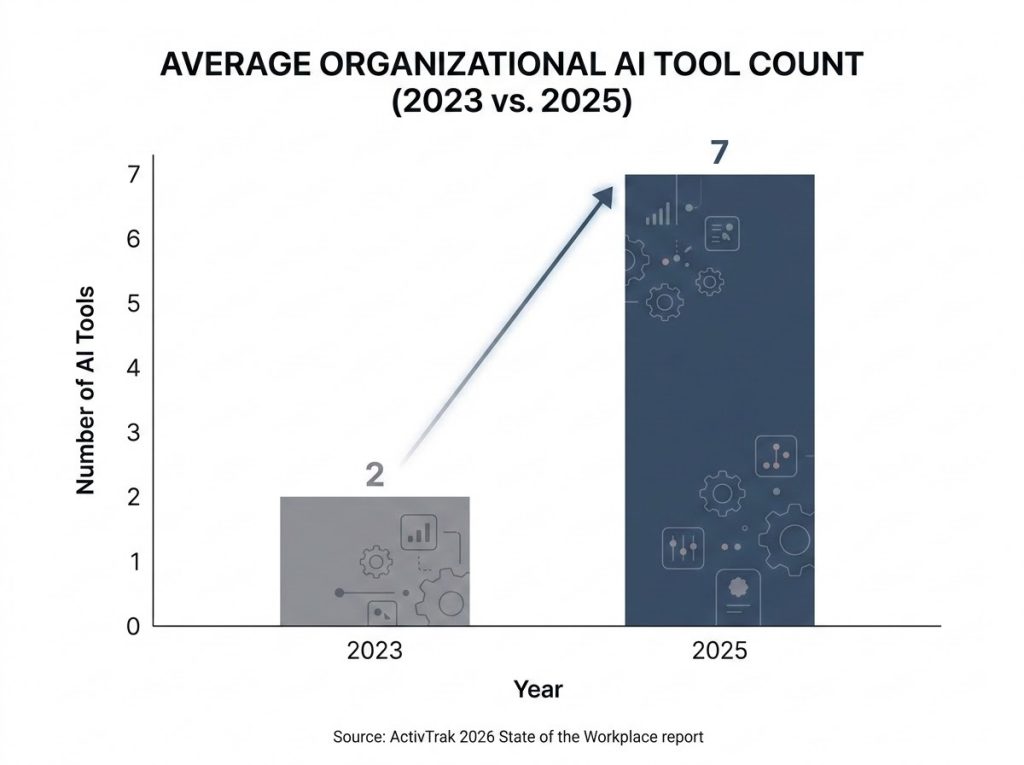
- The average organization went from using 2 AI tools in 2023 to 7 in 2025 — but only 3% of employees have found the usage sweet spot that actually correlates with peak productivity.
- Workflow redesign, not tool count, is the single factor McKinsey ties most closely to measurable financial return from AI — and just 21% of adopters have done it.
- Nearly 40% of the time AI saves gets eaten right back up fixing low-quality output, a phenomenon researchers now call “workslop.”
- The fix isn’t fewer AI tools for the sake of it. It’s running every tool through a simple audit — Keep, Kill, or Combine — so your stack matches your actual workflow instead of your curiosity.
- Companies that redesign the workflow around AI before adding tools see the gains everyone was promised: 40 to 60 minutes saved per employee, per day.
The Tool-Sprawl Trap Is Real, and It’s Everywhere
If you’ve felt like your AI stack is growing faster than your actual output, you’re reading the room correctly. Here at AI365, we talk to readers every week who describe the same arc: they adopted one AI tool, it genuinely helped, so they adopted three more. Then five more. Somewhere around tool number six, the time they were saving on the original task started disappearing into a new one — deciding which tool to open, re-explaining context to each one, copying output between them, and cleaning up the results that didn’t quite fit.
This isn’t a discipline problem. It’s a structural one. AI tools became easy to buy and easier to try, which meant teams adopted them the way people adopt kitchen gadgets: one at a time, each solving one narrow problem, none of them talking to each other. Nobody sat down and asked whether a seventh tool made the whole system faster or just added a seventh place to check. That question is the one this article is going to help you answer.
What the Research Actually Shows
The story the data tells is more specific — and more useful — than “AI adoption is messy.”
Tool count nearly quadrupled in two years, and usage didn’t follow. Workforce analytics firm ActivTrak’s 2026 State of the Workplace report, drawn from behavioral data across more than 1,100 companies and 163,000+ employees, found that the average organization used 2 AI tools in 2023 and 7 by 2025, with 83% of organizations now running 6 or more. But among employees, the largest single group — 57% — spends less than 1% of their total work hours actually inside those tools. Only 3% of employees land in the usage range (7 to 10% of work hours) that correlates with the highest productivity scores measured in the study.
Workflow redesign beats tool selection, and almost nobody is doing it. McKinsey’s 2025 State of AI survey found that organizations reporting real financial returns from AI were twice as likely to have redesigned their end-to-end workflows before choosing AI tools, rather than layering AI onto processes that were never rebuilt for it. Only 21% of adopters had made that investment.
“Workslop” is quietly canceling out the time savings. Stanford and BetterUp researchers found that 40% of workers had received AI-generated content in the past month that was unhelpful, low-effort, or simply low quality — and fixing it, according to Workday’s January 2026 research, eats up close to 40% of the time AI was supposed to save in the first place.
App overload predates AI, and AI made it worse. Gartner tracked the average knowledge worker’s application count climbing from 6 in 2019 to 11 by 2023, before generative AI tools were even part of most stacks. Fast Company reports that 17% of workers now switch between tabs, platforms, or apps 100 or more times a day — and that 68% of CIOs are planning active vendor consolidation in 2026, specifically to cut down on that fatigue.
The upside is real when the system is built right. Goldman Sachs found that at companies that have moved past the experimentation phase — meaning they’ve actually restructured how work flows through their teams — AI is saving workers an average of 40 to 60 minutes per day. That’s the number the tool-sprawl approach never reaches, because the time saved in one tool gets spent managing the other six.
Put together, this isn’t a story about AI failing to deliver. It’s a story about most organizations measuring the wrong thing. They counted tools adopted instead of workflows completed, and the gap between those two numbers is exactly where the productivity paradox lives.
The Reframe: Stop Counting Tools, Start Auditing Loops
Here’s the shift in thinking that actually moves the needle: the right question was never “which AI tools should we use?” It’s “how many times does work leave a continuous loop before it’s done?”
We call this the Keep, Kill, Combine audit, and it’s a deliberately blunt filter. Every tool in your stack gets sorted into exactly one category: Keep (it lives inside a workflow that runs start to finish without you manually shuttling information between systems), Kill (it duplicates something another tool already does, or you use it so rarely the login friction outweighs the value), or Combine (its job should be absorbed into a tool you’re already keeping, usually through an integration or a platform feature you haven’t turned on yet). Most stacks, when you actually run this audit, have one or two Keep tools, three or four Kill candidates, and a surprising number of Combine opportunities hiding in settings menus nobody opened.
The point of naming it this bluntly is that “which tools are best” is an infinite, exhausting question. “Keep, Kill, or Combine” is a finite one you can answer for your entire stack in an afternoon.
What Changes When You Run the Audit
Teams that actually go through this exercise tend to report the same pattern: the first surprise is how few tools survive the Keep column, and the second surprise is how much faster work moves once the seams are gone.
This tracks with what the McKinsey data shows at scale — the organizations seeing real EBIT impact from AI aren’t the ones with the biggest tool budgets. They’re the ones who mapped the workflow first (intake to output, every handoff labeled) and only then asked which single tool, or single platform, could own that whole path. 68% of CIOs planning consolidation in 2026 aren’t retreating from AI. They’re correcting course after two years of unmanaged sprawl, moving toward fewer, deeper AI implementations instead of more, shallower ones.
The same logic works at the level of one person’s workday. If your writing tool can already summarize, you don’t need a separate summarizer. If your calendar tool has an AI scheduling assistant, a second AI scheduling tool is a Kill, not a backup. The goal isn’t minimalism for its own sake — it’s making sure that when work enters your system, it can move all the way to “done” without you playing translator between five different AI products that were never designed to talk to each other.
Your Practical Audit: 6 Steps to Run This Week
1. Log your AI tool usage for five working days. Before you cut anything, know what you’re actually cutting. Keep a simple running list: tool name, what you used it for, and how long it took including the setup and cleanup around it. Most people are surprised by what shows up.
2. Group your tools by the workflow they touch, not by category. Don’t sort by “writing tools” versus “scheduling tools.” Sort by the actual job: “getting a client email from draft to sent” or “turning a meeting into follow-up tasks.” A workflow-first view is what reveals overlap that a feature-first view hides.
3. Run every tool through Keep, Kill, or Combine. Be honest about the “just in case” tools. If you haven’t opened it in two weeks, it’s very likely a Kill, no matter how promising it looked in the demo.
4. Pick one anchor tool per core workflow. For each major workflow you identified in step 2, choose a single AI tool that owns it end to end. Everything else that touches that workflow either integrates into the anchor or gets cut.
5. Redesign the workflow before you re-add anything. This is the step most teams skip, and it’s the one McKinsey’s data says matters most. Before adding a new tool back in, ask what step in the process it’s actually fixing — not what feature it has.
6. Set a 90-day re-audit on your calendar right now. Tool sprawl doesn’t happen all at once; it happens one “let’s just try this” decision at a time. A recurring check keeps the stack honest instead of letting it quietly regrow.
Frequently Asked Questions
Does using more AI tools always hurt productivity?
Not inherently — the harm comes from tools that don’t connect to each other, forcing you to manually move information between systems. A well-integrated stack of several tools can outperform a single tool that can’t cover your full workflow. The test is whether work moves without interruption, not the raw tool count.
How many AI tools should one person or team realistically use?
There’s no universal number, but the research suggests fewer, deeper implementations outperform broad, shallow ones. A useful target is one clear “anchor” tool per core workflow (writing, scheduling, research, and so on), with everything else either integrated into that anchor or cut.
Isn’t it better to keep experimenting with new AI tools as they launch?
Testing new tools has value, but testing and adopting are different things. Keep a separate “trial” space for experimentation so it doesn’t quietly expand your permanent stack. Only promote a new tool to your real workflow if it survives a Keep, Kill, or Combine review against what you already use.
What is “workslop” and how does it relate to tool overload?
Workslop is AI-generated output that looks finished but is actually low-quality, vague, or off-target, requiring real editing before it’s usable. It’s more common in fragmented stacks because context gets lost every time work passes between disconnected tools, and researchers estimate fixing it consumes close to 40% of the time AI was supposed to save.
Where should a team start if the AI stack already feels out of control?
Start with a usage log, not a tool cut. Track what’s actually being used for one working week before deciding what to remove. Cutting based on memory alone usually keeps the wrong tools and cuts the ones people simply forgot they relied on.
The Takeaway
Your AI stack was never supposed to be a collection. It was supposed to be a system. Every tool you’ve added because it looked useful in a demo, a LinkedIn post, or a coworker’s recommendation is either doing real work inside your workflow right now, or it’s sitting there costing you the very time it promised to save. The seven-tools-and-counting era of AI adoption is ending, not because AI stopped working, but because organizations are finally measuring the right thing.
You don’t need more AI. You need less friction between the AI you already have. Run the audit. Keep what moves work forward without a seam, kill what doesn’t, and combine the rest. That’s not a smaller ambition for what AI can do for your work — it’s the only version of the ambition that actually pays off.
Keep Learning
- Are Agentic AI Phones Actually Ready to Take Over Your Smartphone?
- Why Do More AI Tools Make Your Team Less Productive?
- Should You Use AI to Save Time at Work, or to Solve Bigger Problems?
- What Is Agentic AI Ransomware, and How Do You Protect Yourself From It?
- How Fast Is Corporate AI Adoption Really Growing Right Now?